
Searching “Matches using MY design” – ?! You’ve come to the right place!
Jump to this form to submit artwork & files FOR your order
print area front and back:
*** it is wider than it is tall ***
Consider these dimensions as the aspect ratio – Do not create your artwork using these dimensions for your file size. This is extremely important!
For more info on the difference between “aspect ratio” and “print dimensions” or how to scale artwork, please see this video !
Please submit separate files for front, top, and back. See template for print area dimensions.
Unless requested, we will center your design and scale it to largest possible (whole image showing when book is closed). If you do not supply a mock-up or request a proof, we will set up your files as we feel looks best.
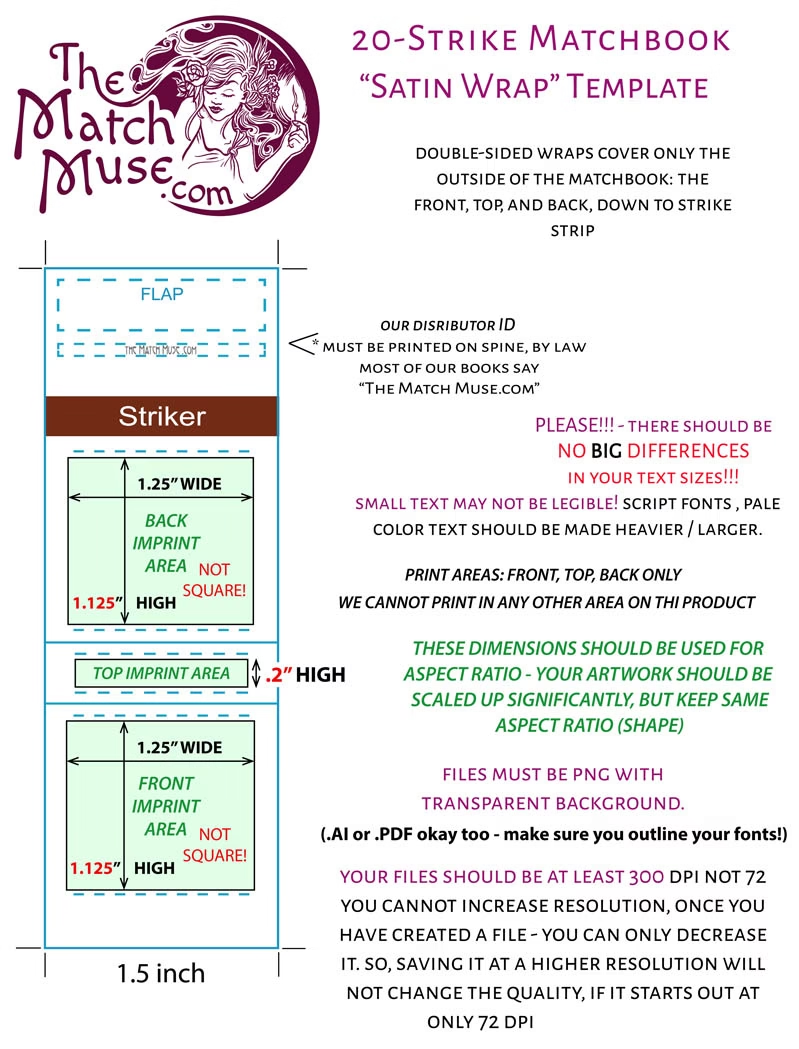
if you are a seasoned graphic designer, you may provide a single-file (front, top, back) print with bleed.
please note, your file should still have a transparent background, but we can bleed your graphics outside the safe areas
please submit all artwork as .png files with transparent background. (or as vector-based artwork with no background)
Files should be HIGH RESOLUTION .jpg or .png. (or .ai / .pdf) Resolution should be at least 300 DPI when you first create the file. Please do not use 72 DPI (that’s for web graphics). You cannot make your resolution higher, once your design is created at a low resolution.
1. Please provide artwork within 48 hours of placing your order,
We strongly recommend: no super fine or faint lines, no teeny-tiny print.
There should be NO BIG DIFFERENCE IN TEXT SIZES within the design. Tiny print can be difficult to read on a matchbook – this is a common mistake.
for black matchbooks: you’ll need to beef up the SIZE and WEIGHT of your lines – fine, pale lines on black will go bye-bye. Choose a color that has a strong contrast with the book color – blue on blue won’t really show up too well, etc.
factory-printed 20-strike matchbooks
(aka “direct print”)

factory-printed 20-strike matchbooks
(aka “direct print”)
design: the match muse (custom)
important: be sure you are ordering DIRECT-PRINT (aka “Factory-Printed”) Matchbooks (either 20-strike or 30-strike)
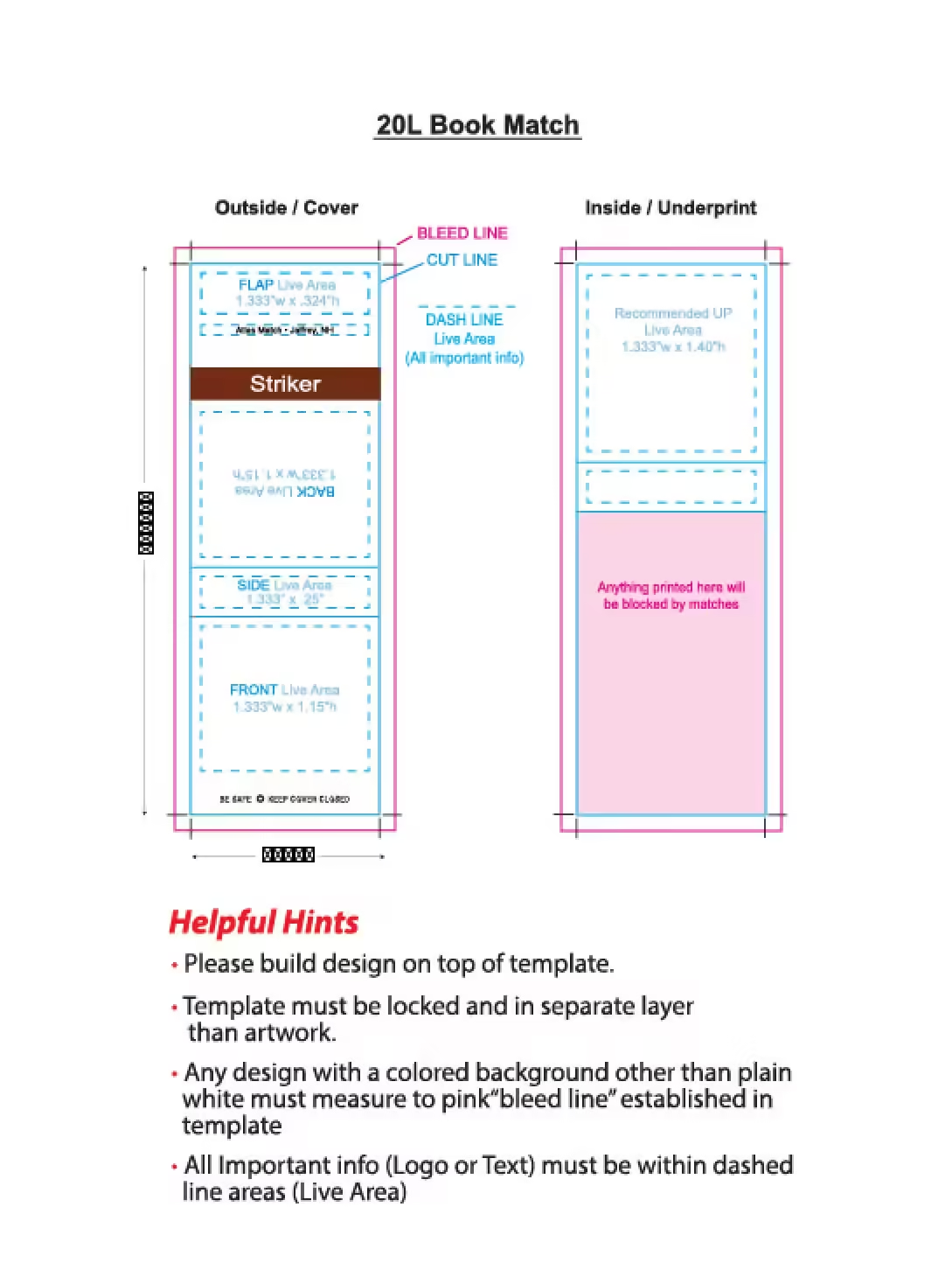

Want to send us logos, images, photos, drawings, or text, and have us create your layout? We got you! Professional setup can be challenging, if you’re not a seasoned designer.
file types for vector art: .ai, .pdf .svg
file types for non-vector: .jpg, .png
if any part of your composition is not vectors, it should be comprised of HIGH RESOLUTION .jpg or .png images. Resolution should be at least 300 DPI when you first create the file. Please do not use 72 DPI (that’s for web graphics). You cannot make your resolution higher, once your design is created at a low resolution.
If any part of your artwork is not vectors, please be sure your document’s raster effects setting is at least 350 dpi
for more info on resolution, and how to set up files for print, see this video
1. Please provide artwork within 48 hours of placing your order
We strongly recommend: no super fine or faint lines, no teeny-tiny print.
There should be NO BIG DIFFERENCE IN TEXT SIZES within the design. Tiny print can be difficult to read on a matchbook – this is a common mistake.
if your design has a black or dark color background, you’ll need to beef up the SIZE and WEIGHT of your lines and text – fine, pale lines on black will go bye-bye. Choose a color that has a strong contrast with the background color – blue on blue won’t really show up too well, etc.
important: be sure this is the item you are ordering! click the link to check!
Please submit one file, using the template below
Unless requested, we will center your design and scale it to largest possible. If you do not supply a mock-up or request a proof, we will set up your files as we feel looks best.
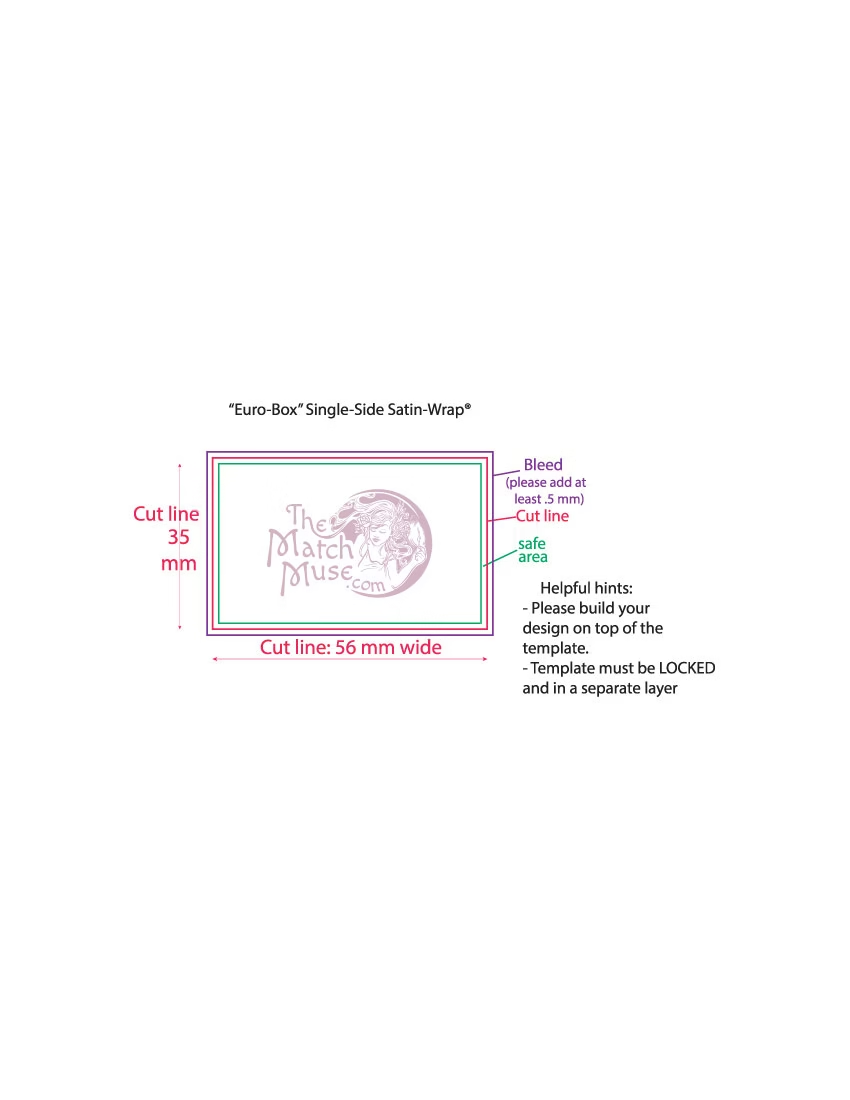
Please submit separate files for front, top, and back. See template for print area dimensions.
Unless requested, we will center your design and scale it to largest possible (whole image showing when book is closed). If you do not supply a mock-up or request a proof, we will set up your files as we feel looks best.

if you are a seasoned graphic designer, you may use this template for double-sided box (front, side, back) print with bleed.
please note, designs that include either a white or black background will look best, but a light color (on the white boxes), or a dark color (on the black boxes) will still work.
note: the inner “slide drawers” are white, on both the black and white matchboxes
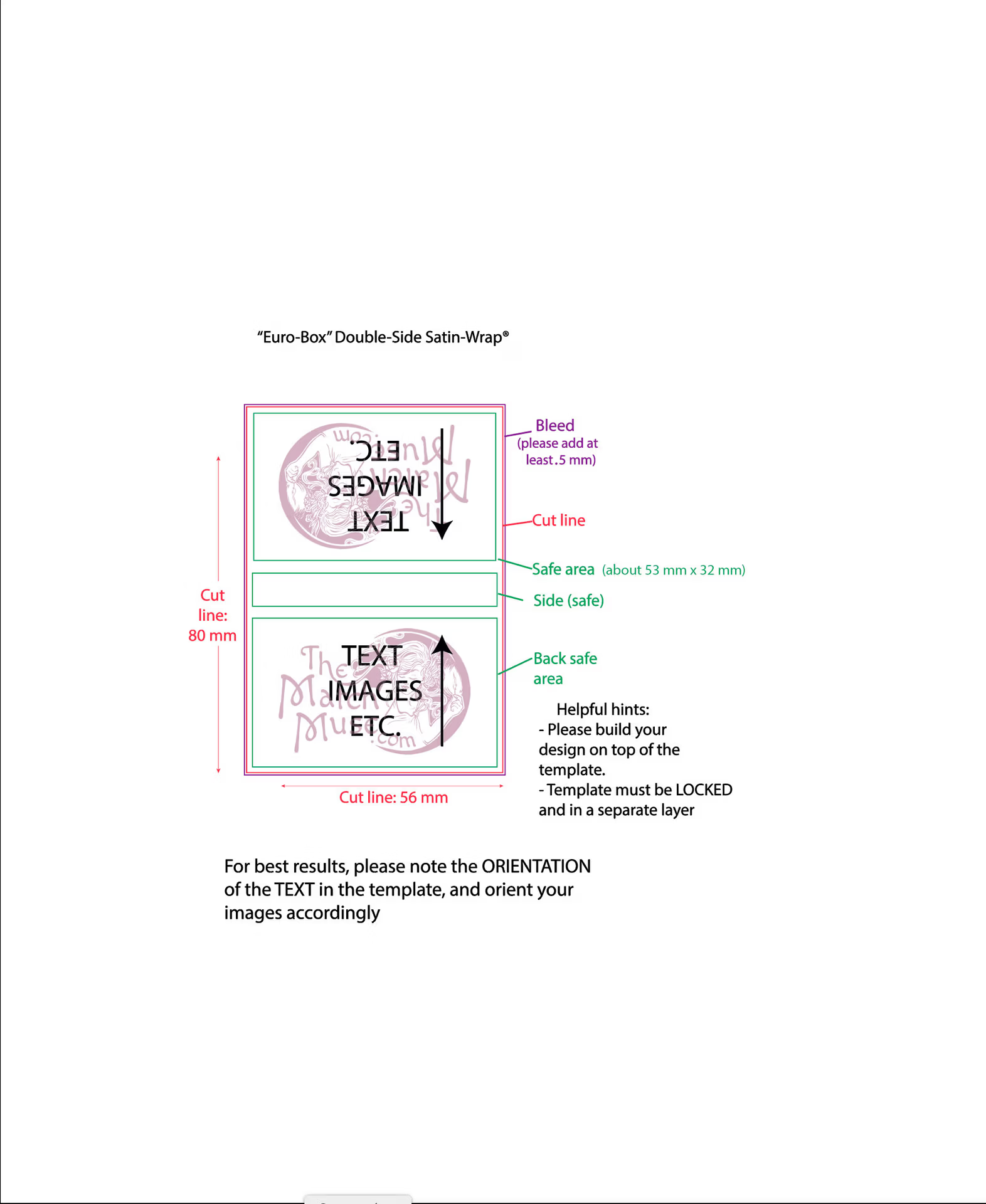
print area
front and back: 52 mm x 32 mm
side: 52 mm x 7 mm
Consider these dimensions as the aspect ratio – Do not create your artwork using these dimensions for your file size. This is extremely important!
If you do not understand the difference between “aspect ratio” and “print dimensions” or how to scale artwork, please see this video for more information.
file types: ai, svg, pdf, .pg, png
if you are submitting non-vector files, they should be HIGH RESOLUTION .jpg or .png. Resolution should be at least 300 DPI when you first create the file. Please do not use 72 DPI (that’s for web graphics). You cannot make your resolution higher, once your design is created at a low resolution.
for more info on resolution, and how to set up files for print, see this video
1. Please provide artwork within 48 hours of placing your order
We strongly recommend: no super fine or faint lines, no teeny-tiny print.
There should be NO BIG DIFFERENCE IN TEXT SIZES within the design. Tiny print can be difficult to read on a matchbook – this is a common mistake.
if your design has a black or dark color background, you’ll need to beef up the SIZE and WEIGHT of your lines and text – fine, pale lines on black will go bye-bye. Choose a color that has a strong contrast with the background color – blue on blue won’t really show up too well, etc.
*Please note that file names will be changed, when submitted through this form. Please be sure to indicate the purpose / desired placement of each file!
for general inquiries, etc.
please text us via the chat bubble, or email us here


